

Close Menu
AdimorahBlogAdimorahBlog
  • Home
  • ABOUT US
  • CONTACT US
  • PRIVACY POLICY
  • XIAOMI
    • Xiaomi apps
      • POCO beta testers
    • Xiaomi News
    • Xiaomi Pad
    • Redmi
    • POCO
  • MIUI updates
    • MIUI 14
    • MIUI beta testers
    • MIUI launcher
  • Google
    • Google Camera
    • Pixel
    • Google chrome
  • Samsung
    • OneUI news
    • Samsung News
    • Samsung Galaxy Watch
  • Android
    • Android 13
    • Android 14
    • Android 15
    • Android Auto
  • Smartphone
    • Apple
    • Samsung
    • Pixel
    • XIAOMI
    • Redmi
    • POCO
    • OnePlus
    • Sony
    • Fairphone
    • OnePlus
  • How To
  • Gaming
    • Video gaming
Facebook X (Twitter) Instagram
AdimorahBlogAdimorahBlog
Subscribe
  • Home
  • ABOUT US
  • CONTACT US
  • PRIVACY POLICY
  • XIAOMI
    • Xiaomi apps
      • POCO beta testers
    • Xiaomi News
    • Xiaomi Pad
    • Redmi
    • POCO
  • MIUI updates
    • MIUI 14
    • MIUI beta testers
    • MIUI launcher
  • Google
    • Google Camera
    • Pixel
    • Google chrome
  • Samsung
    • OneUI news
    • Samsung News
    • Samsung Galaxy Watch
  • Android
    • Android 13
    • Android 14
    • Android 15
    • Android Auto
  • Smartphone
    • Apple
    • Samsung
    • Pixel
    • XIAOMI
    • Redmi
    • POCO
    • OnePlus
    • Sony
    • Fairphone
    • OnePlus
  • How To
  • Gaming
    • Video gaming
AdimorahBlogAdimorahBlog
Home | MIUI update | Xiaomi News | Apple | How to Track and Find a Stolen Apple Watch
Apple

How to Track and Find a Stolen Apple Watch

Adimorah JudeBy Adimorah JudeJuly 28, 2021Updated:July 28, 2021No Comments3 Mins Read
Facebook Twitter Pinterest LinkedIn Tumblr Email
How to Track and Find a Stolen Apple Watch
Share
Facebook Twitter LinkedIn Pinterest Email

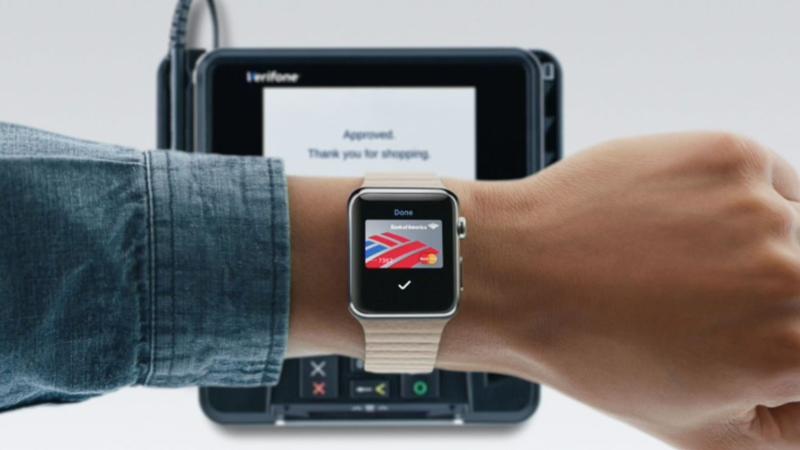
You don’t need to panic if you have misplaced your Apple Watch or if it’s been stolen because there are ways to locate it and keep your data safe until you track it. You may track it using the Find My iPhone app or accessing the app through iCloud.com. You can view your Apple Watch on a map and trigger a sound to locate it if it’s nearby when you sign in. You can also use Bluetooth and proximity to other nearby Apple devices to locate lost Apple devices even if they aren’t connected to WiFi or LTE. This takes us to the focus of this guide. In this guide, we will take a look at how to track and find a stolen apple watch. So, without much further ado, let’s get straight to the point.
  • How to Track and Find a Stolen Apple Watch

How to Track and Find a Stolen Apple Watch Using Find My iPhone

Find My iPhone is a handy app that can help you find all of your Apple gadgets, including your Apple Watch, MacBook, and AirPods, once you have set it up. The steps to follow when utilizing this app are listed below: 

advertisement
  1. On your connected iPhone, enable Find My iPhone. When you set up the app on your iPhone, it’s automatically enabled on any Apple Watch that’s connected to it. 
  2. Have peace of mind knowing that your information is safe with Apple Watch’s Activation Lock, which is a Find My iPhone function. 
  3. On your iPhone, open the Find My iPhone app. 
  4. Enter your Apple ID and password to log in. 
  5. Find My iPhone displays the location of all your Apple products that have been registered.
  6. To see your Apple Watch’s current location on a map, tap it. 
  7. If your Watch is within range, press “Actions,” then “Play Sound.” Until you tap Dismiss on the Watch face, your Watch will play a sound. 
  8. If you don’t have access to your iPhone, use a computer to access Find My iPhone on iCloud.com and follow the same steps. 
  9. Thats all on How to Track and Find a Stolen Apple Watch Using Find My iPhone

Note: If your Apple Watch isn’t showing up in Find My iPhone, it’s reasonable that it’s not connected to Wi-Fi, cellular data, or your linked iPhone. It could also be that Find My iPhone isn’t turned on on your device. Thus, you can’t use Find My iPhone to locate your Apple Watch if you didn’t turn it on before it was lost or stolen, and your Watch has no way of interacting with the app via Wi-Fi, cellular data, or your linked iPhone.

Apple Watch How to
Share. Facebook Twitter Pinterest LinkedIn Tumblr Email
Adimorah Jude
  • Website
  • Facebook
  • X (Twitter)

I'm a passionate tech blogger.

Related Posts

How To Track Someone On Google Maps in 2025

April 25, 2025

How to Fix Cannot Connect to App Store on iPhone or iPad

March 2, 2025

Download Apple iPhone 16E wallpapers

February 19, 2025
Add A Comment
Leave A Reply

Recent Posts
  • How to Use a Free Online Image Converter Easily
  • Xiaomi starts rolling out stable Android 16 based on HyperOS 2
  • Galaxy A36 Android 16-based One UI 8 build spotted
  • Galaxy A15 One UI 8 build spotted on Samsung servers
  • Xiaomi 13T HyperOS 2.2 is now available for download
About Us
AdimorahBlog was founded in 2017 and has grown into a global brand in the past years. As we continue to expand, we will keep providing our readers with the best coverage on Xiaomi HyperOS updates and smartphone latest Android OS updates. We strive to become the update hub for all smartphones. Contact Us: info@adimorahblog.com
AdimorahBlog
Facebook X (Twitter) YouTube Telegram
  • Home
  • CONTACT US
  • ABOUT US
  • PRIVACY POLICY
© 2026 AdimorahBlog. All Rights Reserved

Type above and press Enter to search. Press Esc to cancel.