

Close Menu
AdimorahBlogAdimorahBlog
  • Home
  • ABOUT US
  • CONTACT US
  • PRIVACY POLICY
  • XIAOMI
    • Xiaomi apps
      • POCO beta testers
    • Xiaomi News
    • Xiaomi Pad
    • Redmi
    • POCO
  • MIUI updates
    • MIUI 14
    • MIUI beta testers
    • MIUI launcher
  • Google
    • Google Camera
    • Pixel
    • Google chrome
  • Samsung
    • OneUI news
    • Samsung News
    • Samsung Galaxy Watch
  • Android
    • Android 13
    • Android 14
    • Android 15
    • Android Auto
  • Smartphone
    • Apple
    • Samsung
    • Pixel
    • XIAOMI
    • Redmi
    • POCO
    • OnePlus
    • Sony
    • Fairphone
    • OnePlus
  • How To
  • Gaming
    • Video gaming
Facebook X (Twitter) Instagram
AdimorahBlogAdimorahBlog
Subscribe
  • Home
  • ABOUT US
  • CONTACT US
  • PRIVACY POLICY
  • XIAOMI
    • Xiaomi apps
      • POCO beta testers
    • Xiaomi News
    • Xiaomi Pad
    • Redmi
    • POCO
  • MIUI updates
    • MIUI 14
    • MIUI beta testers
    • MIUI launcher
  • Google
    • Google Camera
    • Pixel
    • Google chrome
  • Samsung
    • OneUI news
    • Samsung News
    • Samsung Galaxy Watch
  • Android
    • Android 13
    • Android 14
    • Android 15
    • Android Auto
  • Smartphone
    • Apple
    • Samsung
    • Pixel
    • XIAOMI
    • Redmi
    • POCO
    • OnePlus
    • Sony
    • Fairphone
    • OnePlus
  • How To
  • Gaming
    • Video gaming
AdimorahBlogAdimorahBlog
Home | MIUI update | Xiaomi News | Apple | How to Measure your Heart rate on an iPhone Without a Smartwatch
Apple

How to Measure your Heart rate on an iPhone Without a Smartwatch

Frank OchasoBy Frank OchasoDecember 31, 2021Updated:October 6, 2023No Comments2 Mins Read
Facebook Twitter Pinterest LinkedIn Tumblr Email
How to Measure your Heart rate on an iPhone Without a Smartwatch
Share
Facebook Twitter LinkedIn Pinterest Email

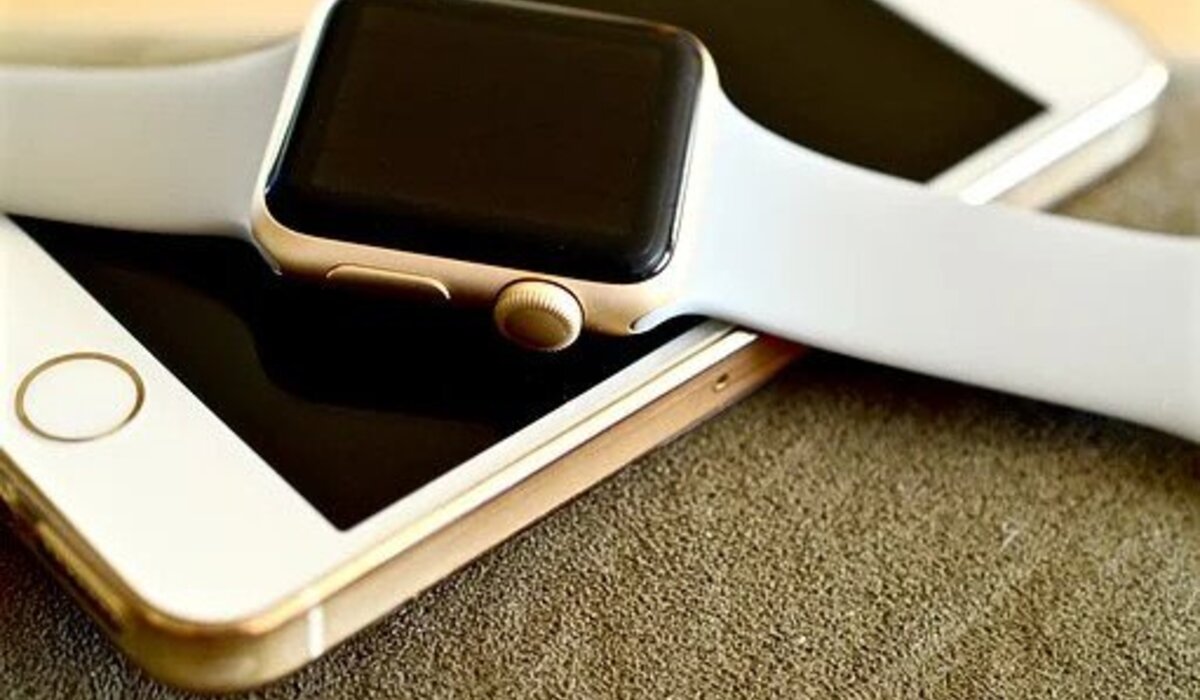
Apple smartwatches are well-known for their fitness monitoring capabilities as well as other non-health-related features. However, not everyone can afford or justify purchasing one. The ability to track your heart rate is one of the smartwatch’s primary functions.

On the little screen, you may see a live graph representing your current BPM. This information is also saved in the Health app, allowing you to view fluctuations on iOS.

advertisement
How to Measure your Heart rate on an iPhone Without a Smartwatch

There are several smartwatch choices to choose from if you’re in the market for a new one. However, if you don’t want to use a smartwatch, you can use the Google Fit app on your iPhone to measure your heart rate. In this guide, we will show you the detailed steps you need to follow measure your heart rate on an iPhone.

How to Measure your Heart rate on an iPhone Without a Smartwatch

  • To begin, go to the App Store and download the Google Fit app for your iPhone.
  • After the installation is finished, you can use it.
  • You’ll be asked to check-in using your Google account, which you should do.
  • Scroll down until you find the Check your heart rate banner on the main Home tab.
  • If you don’t see this banner, force close and reopen the app.
  • Next, select “To start.”
  • Put your index finger on the camera.
  • If you’re in a dimly lit place, use the included toggle to turn on the flashlight.
  • It will take approximately half a minute to complete the reading.
  • When the reading is completed, you can save it to the Google Fit database if you want and that’s all.

Also read: best VPN for your iPhone

In essence, you can measure your heart rate without using any portable devices using this app. However, it should be emphasized that this feature is not meant for medical use. If you suspect you have heart problems, see a doctor as soon as possible.

Apple Apple smartwatch How to iPhone
Share. Facebook Twitter Pinterest LinkedIn Tumblr Email
Frank Ochaso

Related Posts

How to Use a Free Online Image Converter Easily

September 26, 2025

How to track people using Find My Device on Android

June 11, 2025

How to find someone on the Maps using an iPhone

June 9, 2025
Add A Comment
Leave A Reply

Recent Posts
  • How to Use a Free Online Image Converter Easily
  • Xiaomi starts rolling out stable Android 16 based on HyperOS 2
  • Galaxy A36 Android 16-based One UI 8 build spotted
  • Galaxy A15 One UI 8 build spotted on Samsung servers
  • Xiaomi 13T HyperOS 2.2 is now available for download
About Us
AdimorahBlog was founded in 2017 and has grown into a global brand in the past years. As we continue to expand, we will keep providing our readers with the best coverage on Xiaomi HyperOS updates and smartphone latest Android OS updates. We strive to become the update hub for all smartphones. Contact Us: info@adimorahblog.com
AdimorahBlog
Facebook X (Twitter) YouTube Telegram
  • Home
  • CONTACT US
  • ABOUT US
  • PRIVACY POLICY
© 2025 AdimorahBlog. Designed by ThemeSphere.

Type above and press Enter to search. Press Esc to cancel.