

Close Menu
AdimorahBlogAdimorahBlog
  • Home
  • ABOUT US
  • CONTACT US
  • PRIVACY POLICY
  • XIAOMI
    • Xiaomi apps
      • POCO beta testers
    • Xiaomi News
    • Xiaomi Pad
    • Redmi
    • POCO
  • MIUI updates
    • MIUI 14
    • MIUI beta testers
    • MIUI launcher
  • Google
    • Google Camera
    • Pixel
    • Google chrome
  • Samsung
    • OneUI news
    • Samsung News
    • Samsung Galaxy Watch
  • Android
    • Android 13
    • Android 14
    • Android 15
    • Android Auto
  • Smartphone
    • Apple
    • Samsung
    • Pixel
    • XIAOMI
    • Redmi
    • POCO
    • OnePlus
    • Sony
    • Fairphone
    • OnePlus
  • How To
  • Gaming
    • Video gaming
Facebook X (Twitter) Instagram
AdimorahBlogAdimorahBlog
Subscribe
  • Home
  • ABOUT US
  • CONTACT US
  • PRIVACY POLICY
  • XIAOMI
    • Xiaomi apps
      • POCO beta testers
    • Xiaomi News
    • Xiaomi Pad
    • Redmi
    • POCO
  • MIUI updates
    • MIUI 14
    • MIUI beta testers
    • MIUI launcher
  • Google
    • Google Camera
    • Pixel
    • Google chrome
  • Samsung
    • OneUI news
    • Samsung News
    • Samsung Galaxy Watch
  • Android
    • Android 13
    • Android 14
    • Android 15
    • Android Auto
  • Smartphone
    • Apple
    • Samsung
    • Pixel
    • XIAOMI
    • Redmi
    • POCO
    • OnePlus
    • Sony
    • Fairphone
    • OnePlus
  • How To
  • Gaming
    • Video gaming
AdimorahBlogAdimorahBlog
Home | MIUI update | Xiaomi News | Gaming | How To Play Halo Infinite on Steam Deck
Gaming

How To Play Halo Infinite on Steam Deck

Adimorah JudeBy Adimorah JudeDecember 11, 2022Updated:October 6, 2023No Comments2 Mins Read
Facebook Twitter Pinterest LinkedIn Tumblr Email
How To Play Halo Infinite on Steam Deck
Share
Facebook Twitter LinkedIn Pinterest Email

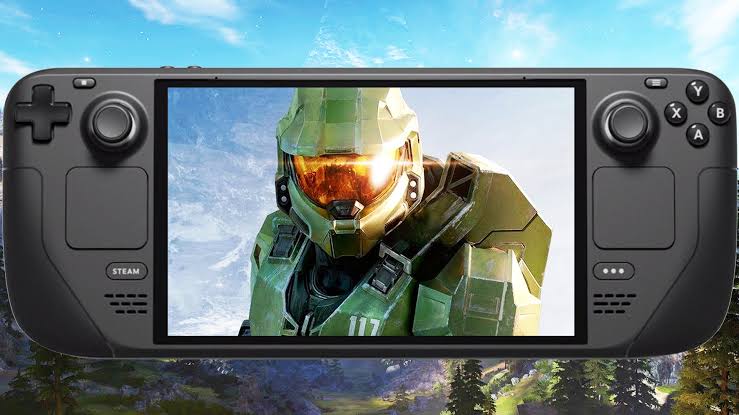
Halo Infinite is a direct sequel to Halo 5: Guardians, which features the return of the Master Chief as the protagonist. It’s a great game to play on Steam Deck, and it’s sure to provide you with plenty of exciting experiences. With just a few steps, you can begin playing Halo Infinite on Steam Deck and experience the game as it was meant to be played.
Basic Steps To Play Halo Infinite on Steam Deck

If you’re looking for a step-by-step guide on how to play Halo Infinite on Steam, then you’ve come to the right place. In this blog post, we will guide you through the steps on how to play Halo Infinite on Steam Deck.  So, stay tuned as we kick things off!

advertisement

Basic Steps To Play Halo Infinite on Steam Deck

To play Halo Infinite on Steam Deck, here’s what you need to do;

  • Open Steam and go to the Systems tab in Settings. Change the system update channel to the preview build.
  • Next, install Proton GE. 
  • Then launch Infinite and go to Settings
  • Next, go to Properties, and select Compatibility. Set it to use the latest version of Proton GE: GE-Proton7-26.
  • Exit Infinite and go to desktop mode. Rename the videos folder or delete the Halo Infinite folder’s contents.

With those steps complete, Infinite should be playable on your Deck. However, playing Halo Infinite on Steam Deck comes with a few hitches. There is a possibility of some jank and audio clipping. There’s also the standard risk of unauthorized modification, including potential platform bans or unforeseen issues.

Wrapping It Up

If you’re ready to take your Halo Infinite gaming experience to the next level, don’t hesitate to give Steam Deck a try. With its easy setup and convenient features, you can be sure to enjoy all the same features and convenience as on console – plus the added bonus of being able to play Halo Infinite on your PC!

Halo Infinite How to Steam Deck
Share. Facebook Twitter Pinterest LinkedIn Tumblr Email
Adimorah Jude
  • Website
  • Facebook
  • X (Twitter)

I'm a passionate tech blogger.

Related Posts

How to Use a Free Online Image Converter Easily

September 26, 2025

How to track people using Find My Device on Android

June 11, 2025

How to find someone on the Maps using an iPhone

June 9, 2025
Add A Comment
Leave A Reply

Recent Posts
  • How to Use a Free Online Image Converter Easily
  • Xiaomi starts rolling out stable Android 16 based on HyperOS 2
  • Galaxy A36 Android 16-based One UI 8 build spotted
  • Galaxy A15 One UI 8 build spotted on Samsung servers
  • Xiaomi 13T HyperOS 2.2 is now available for download
About Us
AdimorahBlog was founded in 2017 and has grown into a global brand in the past years. As we continue to expand, we will keep providing our readers with the best coverage on Xiaomi HyperOS updates and smartphone latest Android OS updates. We strive to become the update hub for all smartphones. Contact Us: info@adimorahblog.com
AdimorahBlog
Facebook X (Twitter) YouTube Telegram
  • Home
  • CONTACT US
  • ABOUT US
  • PRIVACY POLICY
© 2026 AdimorahBlog. All Rights Reserved

Type above and press Enter to search. Press Esc to cancel.