


Close Menu
AdimorahBlogAdimorahBlog
  • Home
  • ABOUT US
  • CONTACT US
  • PRIVACY POLICY
  • XIAOMI
    • Xiaomi apps
      • POCO beta testers
    • Xiaomi News
    • Xiaomi Pad
    • Redmi
    • POCO
  • MIUI updates
    • MIUI 14
    • MIUI beta testers
    • MIUI launcher
  • Google
    • Google Camera
    • Pixel
    • Google chrome
  • Samsung
    • OneUI news
    • Samsung News
    • Samsung Galaxy Watch
  • Android
    • Android 13
    • Android 14
    • Android 15
    • Android Auto
  • Smartphone
    • Apple
    • Samsung
    • Pixel
    • XIAOMI
    • Redmi
    • POCO
    • OnePlus
    • Sony
    • Fairphone
    • OnePlus
  • How To
  • Gaming
    • Video gaming
Facebook X (Twitter) Instagram
AdimorahBlogAdimorahBlog
Subscribe
  • Home
  • ABOUT US
  • CONTACT US
  • PRIVACY POLICY
  • XIAOMI
    • Xiaomi apps
      • POCO beta testers
    • Xiaomi News
    • Xiaomi Pad
    • Redmi
    • POCO
  • MIUI updates
    • MIUI 14
    • MIUI beta testers
    • MIUI launcher
  • Google
    • Google Camera
    • Pixel
    • Google chrome
  • Samsung
    • OneUI news
    • Samsung News
    • Samsung Galaxy Watch
  • Android
    • Android 13
    • Android 14
    • Android 15
    • Android Auto
  • Smartphone
    • Apple
    • Samsung
    • Pixel
    • XIAOMI
    • Redmi
    • POCO
    • OnePlus
    • Sony
    • Fairphone
    • OnePlus
  • How To
  • Gaming
    • Video gaming
AdimorahBlogAdimorahBlog
Home | MIUI update | Xiaomi News | Uncategorized | What Is an XAPK File and How Do You Install One on Android
Uncategorized

What Is an XAPK File and How Do You Install One on Android

Anna BrookesBy Anna BrookesApril 6, 2023No Comments3 Mins Read
Facebook Twitter Pinterest LinkedIn Tumblr Email
What Is an XAPK File and How Do You Install One on Android
Share
Facebook Twitter LinkedIn Pinterest Email

If you’re an Android user, you may be familiar with installing APK files, which is a simple process. However, have you ever come across an XAPK file and wondered what it is and how to install it? In this guide, we’ll explain what an XAPK file is, how it differs from an APK file, and provide step-by-step instructions for installing one on your Android device.
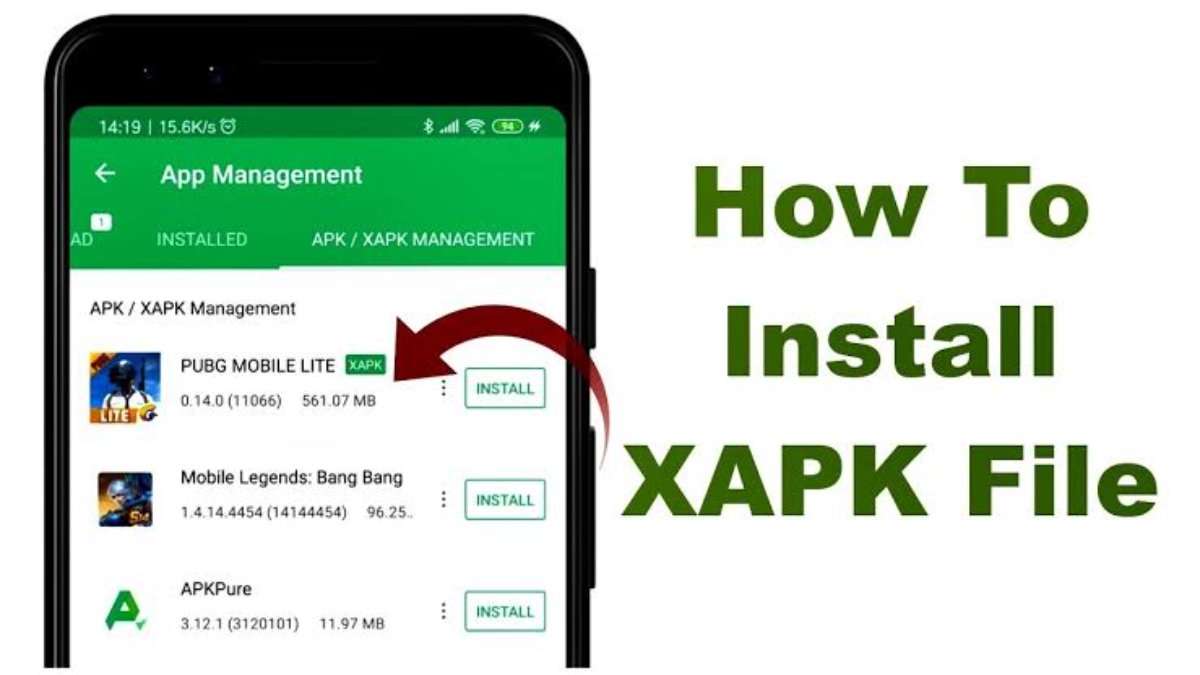
How Do You Install an XAPK file

What is an XAPK File?

An XAPK file is essentially an archive file that contains both an APK file and a folder with additional app data. This format is often used for larger apps and games that require more space than the 100 MB package file limit imposed on all apps and games uploaded on the Google Play Store. As a result, you’ll typically find XAPK files on third-party app stores or other websites, rather than on the Play Store.

advertisement

To summarize, an XAPK file consists of an APK file and an OBB file containing additional data. Some XAPK files may also be bundles containing multiple APK files, also known as Split APKs.

How is an XAPK File Different from an APK File?

While both APK and XAPK files are used for installing apps, the way the Android operating system handles them is different. APK files are instantly recognized by Android as installation files and can be sideloaded after granting the required permissions. However, your device won’t recognize XAPK files as installation files and won’t know what to do with them.

How to Install an XAPK File

Fortunately, installing an XAPK file is still relatively straightforward. Here’s how to do it:

  1. Download the XAPK file from a trusted source.
  2. Using a file manager app of your choice, locate the XAPK file you just downloaded.
  3. Long-press the file and tap “Rename”. Change the file extension from XAPK to ZIP. For example, if the original file is named “app-name.xapk”, change it to “app-name.zip”.
  4. Your phone should now recognize the file as a compressed folder. Long-press the file and extract it to a specified folder.
  5. The extracted folder should contain an APK file, a folder named “Android”, and a PNG file that’s not important.
  6. Open the “Android” folder and you should see another folder within it. Copy this folder to Internal Storage > Android > OBB.
  7. Once done, go back to the extracted folder and install the APK file as you normally would by tapping on it. If prompted, allow the file manager to install apps from unknown sources.

How to Uninstall XAPK Files

If you notice an app misbehaving or asking for unnecessary permissions, it’s best to uninstall it. You can do this by heading to Settings > Apps & Notifications, selecting the app, and tapping “Uninstall”. Alternatively, you can long-press the app icon and drag it toward the “Uninstall” label on your home screen. If you want to be extra cautious, you can also manually delete the OBB folder to get rid of all traces of the app.

Apk XAPK
Share. Facebook Twitter Pinterest LinkedIn Tumblr Email
Anna Brookes

Related Posts

Galaxy M54 One UI 7 stable update is now rolling out

May 26, 2025

Xiaomi resolves YouTube Playback issues on HyperOS

May 9, 2025

Find My Device redesign is now available for everyone

March 14, 2025
Add A Comment
Leave A Reply

Recent Posts
  • How to Use a Free Online Image Converter Easily
  • Xiaomi starts rolling out stable Android 16 based on HyperOS 2
  • Galaxy A36 Android 16-based One UI 8 build spotted
  • Galaxy A15 One UI 8 build spotted on Samsung servers
  • Xiaomi 13T HyperOS 2.2 is now available for download
About Us
AdimorahBlog was founded in 2017 and has grown into a global brand in the past years. As we continue to expand, we will keep providing our readers with the best coverage on Xiaomi HyperOS updates and smartphone latest Android OS updates. We strive to become the update hub for all smartphones. Contact Us: info@adimorahblog.com
AdimorahBlog
Facebook X (Twitter) YouTube Telegram
  • Home
  • CONTACT US
  • ABOUT US
  • PRIVACY POLICY
© 2025 AdimorahBlog. Designed by ThemeSphere.

Type above and press Enter to search. Press Esc to cancel.