


Close Menu
AdimorahBlogAdimorahBlog
  • Home
  • ABOUT US
  • CONTACT US
  • PRIVACY POLICY
  • XIAOMI
    • Xiaomi apps
      • POCO beta testers
    • Xiaomi News
    • Xiaomi Pad
    • Redmi
    • POCO
  • MIUI updates
    • MIUI 14
    • MIUI beta testers
    • MIUI launcher
  • Google
    • Google Camera
    • Pixel
    • Google chrome
  • Samsung
    • OneUI news
    • Samsung News
    • Samsung Galaxy Watch
  • Android
    • Android 13
    • Android 14
    • Android 15
    • Android Auto
  • Smartphone
    • Apple
    • Samsung
    • Pixel
    • XIAOMI
    • Redmi
    • POCO
    • OnePlus
    • Sony
    • Fairphone
    • OnePlus
  • How To
  • Gaming
    • Video gaming
Facebook X (Twitter) Instagram
AdimorahBlogAdimorahBlog
Subscribe
  • Home
  • ABOUT US
  • CONTACT US
  • PRIVACY POLICY
  • XIAOMI
    • Xiaomi apps
      • POCO beta testers
    • Xiaomi News
    • Xiaomi Pad
    • Redmi
    • POCO
  • MIUI updates
    • MIUI 14
    • MIUI beta testers
    • MIUI launcher
  • Google
    • Google Camera
    • Pixel
    • Google chrome
  • Samsung
    • OneUI news
    • Samsung News
    • Samsung Galaxy Watch
  • Android
    • Android 13
    • Android 14
    • Android 15
    • Android Auto
  • Smartphone
    • Apple
    • Samsung
    • Pixel
    • XIAOMI
    • Redmi
    • POCO
    • OnePlus
    • Sony
    • Fairphone
    • OnePlus
  • How To
  • Gaming
    • Video gaming
AdimorahBlogAdimorahBlog
Home | MIUI update | Xiaomi News | How To | How to View A Private Instagram Account Without Following Them
How To

How to View A Private Instagram Account Without Following Them

Anna BrookesBy Anna BrookesAugust 23, 2022No Comments3 Mins Read
Facebook Twitter Pinterest LinkedIn Tumblr Email
How to view a private instagram account
Share
Facebook Twitter LinkedIn Pinterest Email

Many social media users choose to make their accounts private in order to control who can view their photos, videos, and other posts. However, as an Instagram user, you may want to view the content of one of these private Instagram accounts—maybe you’re considering following the user in question, or perhaps you just want to peek at the pictures they’ve been posting lately. Here are your options when it comes to viewing private Instagram accounts without following them first.
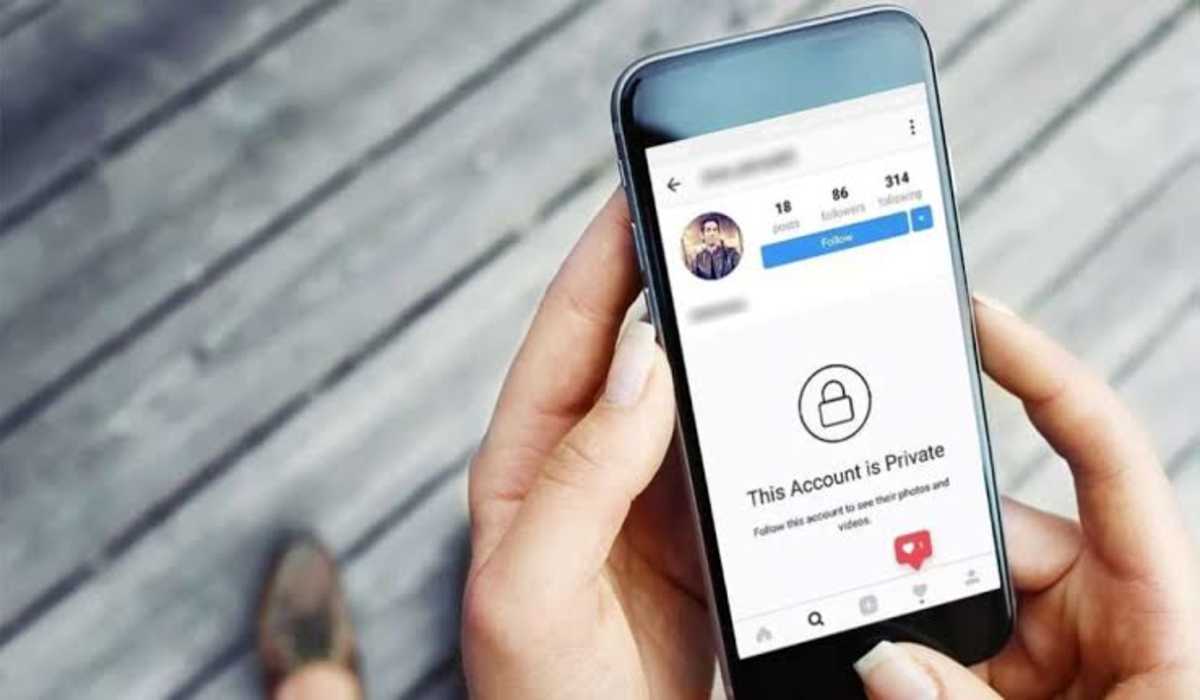
How to view a private instagram account without following them

How to view a Private Instagram Account in 2022

1. Follow that person

Wait! I know. But before you start screaming “clickbait title” just hear me out, will you? I know it might sound a bit obvious, but the simplest way to view someone’s private profile on Instagram is just by following him/her.

advertisement

All you need to do is log in to your account by entering the username and password, then search for the name of the profile you are interested in, by entering their name into the search box. As soon as their profile is displayed, click on the “follow” request button.

And once that person accepts you, the application will notify you immediately and you can now view their profile.

But if you are not interested in following them, then move on to the other options below.

2. Use a Secondary Account

Lots of people today operate instagram with more than one account. If you don’t want to follow the person, probably because you don’t want them seeing you, or, they already rejected your follow request, another easy way to view a private profile is by using a secondary account or a fake account entirely different from your main account. With this, they won’t even know you are the one.

3. Use someone else’s account

This is probably one strategy that everyone has used at some point.

If you are interested in seeing the content of someone you know and that a friend of yours follows, simply ask that your friend for permission to access that profile from their Instagram account. It’s a perfect way to stalk someone without them knowing who you are.

4. Use profile viewing apps

Despite the fact that Instagram has improved its security and control measures, developers are still coming up with apps that allow you to see other profiles, know who is stalking you, who is following you or has stopped following you, who has blocked you, etc. These actions cannot be possible with the official instagram app. Some of these famous apps to view private Instagram profiles are:

  • Glassagram
  • Spyzie
  • Instaspy.net

5. Search on Google

Simply copy the Instagram name of the private account and paste it into Google to perform an image search. If the person you are interested in, has been tagged in a previous post, it’s likely that some of their photos may appear on a public Instagram or even Facebook account. This is an unreliable way to view a private instagram account, but it’s a way all the same.

If you came in here with the intention of knowing how to view a private instagram account without following them first, then I am certain you have your answers already.

How to Instagram
Share. Facebook Twitter Pinterest LinkedIn Tumblr Email
Anna Brookes

Related Posts

How to Use a Free Online Image Converter Easily

September 26, 2025

How to track people using Find My Device on Android

June 11, 2025

How to find someone on the Maps using an iPhone

June 9, 2025
Add A Comment
Leave A Reply

Recent Posts
  • How to Use a Free Online Image Converter Easily
  • Xiaomi starts rolling out stable Android 16 based on HyperOS 2
  • Galaxy A36 Android 16-based One UI 8 build spotted
  • Galaxy A15 One UI 8 build spotted on Samsung servers
  • Xiaomi 13T HyperOS 2.2 is now available for download
About Us
AdimorahBlog was founded in 2017 and has grown into a global brand in the past years. As we continue to expand, we will keep providing our readers with the best coverage on Xiaomi HyperOS updates and smartphone latest Android OS updates. We strive to become the update hub for all smartphones. Contact Us: info@adimorahblog.com
AdimorahBlog
Facebook X (Twitter) YouTube Telegram
  • Home
  • CONTACT US
  • ABOUT US
  • PRIVACY POLICY
© 2025 AdimorahBlog. Designed by ThemeSphere.

Type above and press Enter to search. Press Esc to cancel.