

Close Menu
AdimorahBlogAdimorahBlog
  • Home
  • ABOUT US
  • CONTACT US
  • PRIVACY POLICY
  • XIAOMI
    • Xiaomi apps
      • POCO beta testers
    • Xiaomi News
    • Xiaomi Pad
    • Redmi
    • POCO
  • MIUI updates
    • MIUI 14
    • MIUI beta testers
    • MIUI launcher
  • Google
    • Google Camera
    • Pixel
    • Google chrome
  • Samsung
    • OneUI news
    • Samsung News
    • Samsung Galaxy Watch
  • Android
    • Android 13
    • Android 14
    • Android 15
    • Android Auto
  • Smartphone
    • Apple
    • Samsung
    • Pixel
    • XIAOMI
    • Redmi
    • POCO
    • OnePlus
    • Sony
    • Fairphone
    • OnePlus
  • How To
  • Gaming
    • Video gaming
Facebook X (Twitter) Instagram
AdimorahBlogAdimorahBlog
Subscribe
  • Home
  • ABOUT US
  • CONTACT US
  • PRIVACY POLICY
  • XIAOMI
    • Xiaomi apps
      • POCO beta testers
    • Xiaomi News
    • Xiaomi Pad
    • Redmi
    • POCO
  • MIUI updates
    • MIUI 14
    • MIUI beta testers
    • MIUI launcher
  • Google
    • Google Camera
    • Pixel
    • Google chrome
  • Samsung
    • OneUI news
    • Samsung News
    • Samsung Galaxy Watch
  • Android
    • Android 13
    • Android 14
    • Android 15
    • Android Auto
  • Smartphone
    • Apple
    • Samsung
    • Pixel
    • XIAOMI
    • Redmi
    • POCO
    • OnePlus
    • Sony
    • Fairphone
    • OnePlus
  • How To
  • Gaming
    • Video gaming
AdimorahBlogAdimorahBlog
Home | MIUI update | Xiaomi News | Google | Download and install the latest Gcam on POCO F2 Pro
Google

Download and install the latest Gcam on POCO F2 Pro

Adimorah JudeBy Adimorah JudeJanuary 14, 2021No Comments2 Mins Read
Facebook Twitter Pinterest LinkedIn Tumblr Email
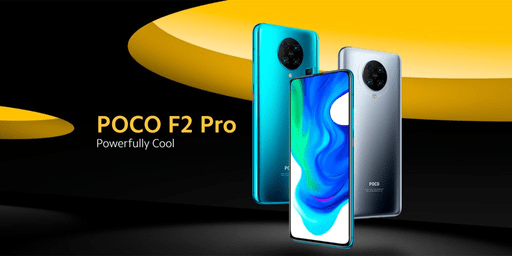
POCO F2 Pro
Share
Facebook Twitter LinkedIn Pinterest Email

The Google Camera app (Gcam) remains the most sought-after app by smartphone photographers out there. It comes with features that are not available on stock camera apps, and the reason many people desire the app. Unfortunately, the app is not accessible by all – only Google Pixel phones. However, developers like Urnyx05 has been working round the clock to release a modified version of each Google camera app, popularly known as Gcam mod.
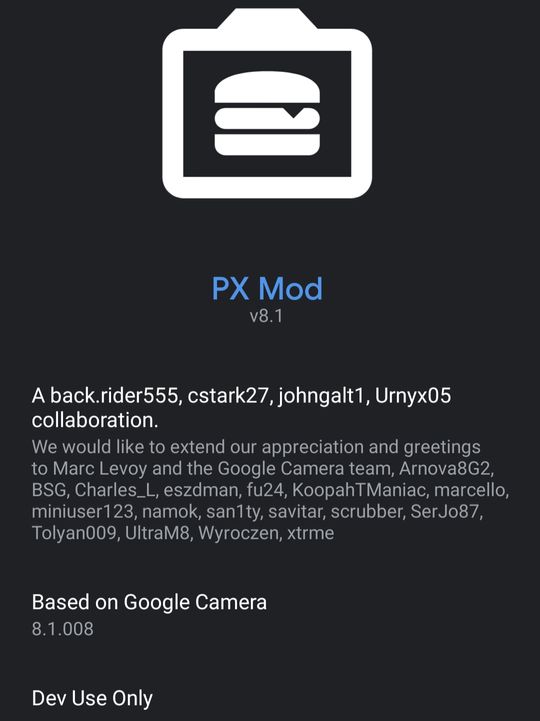
Download and install the latest Gcam on POCO F2 Pro

The latest Gcam mod (PXv8.1_Gcam-v1.1.apk), which is based on Gcam 8.1.008 is designed by Urnyx05 and works on both Pixels and non-Pixel phones. According to feedback over there at XDA- developers, the new version is compatible with the POCO F2 Pro. Meanwhile, if you already have another version installed, you can still download and install the latest Gcam on POCO F2 Pro and then decide on the better one.

advertisement

We would recommend that you install the latest version, given the positive feedback it has got. And if you decide on that, below is how to download and install the latest Gcam on POCO F2 Pro.

How to download and install the latest Gcam on POCO F2 Pro

  • Step 1. Enable install unknown apps. To do that, head over settings >>password & security>>privacy>>install unknown apps, and enable it. If that doesn’t work, use the search button inside the settings app to look for it.
  • Step 2. Download the latest Google Camera app (PXv8.1_Gcam-v1.1.apk by Urnyx05)
  • Step 3. On completion, find the downloaded app on your downloads folder and start the installation
  • Step 4. After installation, you should launch the app and start shooting like a Pro.

Also read: Download Gcam 8.0 on your other Xiaomi phones

Features of the latest Gcam mod (PXv8.1_Gcam-v1.1.apk)

Pixel 2/2XL: Enabled 1080p as default Timelapse/enable 4k selection (drop-down UI while in Timelapse mode)

Pixel 3a/3aXL: Modified Portrait zoom to be the same as other Pixels

Pixel 4a 5G/Pixel 5: Enabled Astrophotography on Ultra-Wide Angle

Added max zoom level option

Added NonZSL Frame Count Override option

Add an option to disable Sabre (by default, it’s enabled only on supported sensors)

Added Shasta & Shasta Factor options

Added countdown to regular Night Sight capture

Fixed photosphere

Fixed crash on those devices with the wrong resolution on motion photos

Fixed slow motion on Pixels

Adjusted video bar size

Fixed artifacts on Sabre

Fixed colors on RAWs – now you can read the incorporated profile (thanks Savitar)

Added a button to force astrophotography

Cleaned up code.”

Via

Gcam
Share. Facebook Twitter Pinterest LinkedIn Tumblr Email
Adimorah Jude
  • Website
  • Facebook
  • X (Twitter)

I'm a passionate tech blogger.

Related Posts

Android Auto 14.7 beta update hints at a new feature

June 30, 2025

A new update starts rolling out for Pixel users

June 25, 2025

Android Auto 14.6 update is now available for download

June 16, 2025
Add A Comment
Leave A Reply

Recent Posts
  • How to Use a Free Online Image Converter Easily
  • Xiaomi starts rolling out stable Android 16 based on HyperOS 2
  • Galaxy A36 Android 16-based One UI 8 build spotted
  • Galaxy A15 One UI 8 build spotted on Samsung servers
  • Xiaomi 13T HyperOS 2.2 is now available for download
About Us
AdimorahBlog was founded in 2017 and has grown into a global brand in the past years. As we continue to expand, we will keep providing our readers with the best coverage on Xiaomi HyperOS updates and smartphone latest Android OS updates. We strive to become the update hub for all smartphones. Contact Us: info@adimorahblog.com
AdimorahBlog
Facebook X (Twitter) YouTube Telegram
  • Home
  • CONTACT US
  • ABOUT US
  • PRIVACY POLICY
© 2026 AdimorahBlog. Designed by ThemeSphere.

Type above and press Enter to search. Press Esc to cancel.