


Close Menu
AdimorahBlogAdimorahBlog
  • Home
  • ABOUT US
  • CONTACT US
  • PRIVACY POLICY
  • XIAOMI
    • Xiaomi apps
      • POCO beta testers
    • Xiaomi News
    • Xiaomi Pad
    • Redmi
    • POCO
  • MIUI updates
    • MIUI 14
    • MIUI beta testers
    • MIUI launcher
  • Google
    • Google Camera
    • Pixel
    • Google chrome
  • Samsung
    • OneUI news
    • Samsung News
    • Samsung Galaxy Watch
  • Android
    • Android 13
    • Android 14
    • Android 15
    • Android Auto
  • Smartphone
    • Apple
    • Samsung
    • Pixel
    • XIAOMI
    • Redmi
    • POCO
    • OnePlus
    • Sony
    • Fairphone
    • OnePlus
  • How To
  • Gaming
    • Video gaming
Facebook X (Twitter) Instagram
AdimorahBlogAdimorahBlog
Subscribe
  • Home
  • ABOUT US
  • CONTACT US
  • PRIVACY POLICY
  • XIAOMI
    • Xiaomi apps
      • POCO beta testers
    • Xiaomi News
    • Xiaomi Pad
    • Redmi
    • POCO
  • MIUI updates
    • MIUI 14
    • MIUI beta testers
    • MIUI launcher
  • Google
    • Google Camera
    • Pixel
    • Google chrome
  • Samsung
    • OneUI news
    • Samsung News
    • Samsung Galaxy Watch
  • Android
    • Android 13
    • Android 14
    • Android 15
    • Android Auto
  • Smartphone
    • Apple
    • Samsung
    • Pixel
    • XIAOMI
    • Redmi
    • POCO
    • OnePlus
    • Sony
    • Fairphone
    • OnePlus
  • How To
  • Gaming
    • Video gaming
AdimorahBlogAdimorahBlog
Home | MIUI update | Xiaomi News | How To | Comenity EasyPay Service: Pay Bills Online Easily
How To

Comenity EasyPay Service: Pay Bills Online Easily

Anna BrookesBy Anna BrookesNovember 9, 2022Updated:October 6, 2023No Comments3 Mins Read
Facebook Twitter Pinterest LinkedIn Tumblr Email
Comenity
Share
Facebook Twitter LinkedIn Pinterest Email

Users of Comenity can now pay bills online using Comenity EasyPay. The exciting thing about this service is that you do not need a username or password to carry out the transaction nor do you need to be registered in Account Center. You just need to provide a little piece of information that will enable Comenity to identify you and then you can go on with your payment.
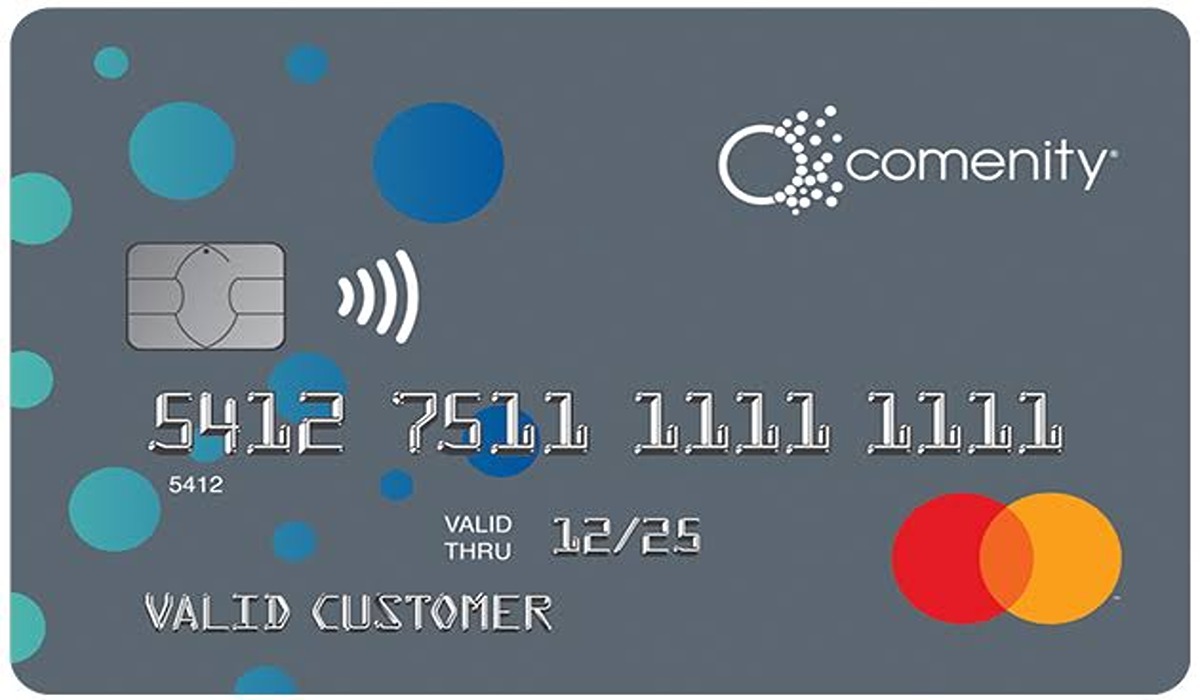
Comenity Easy Pay

If you are interested in knowing how paying bills online using Comenity EasyPay works, this guide answers some of the queries you might have about the payment system.

advertisement

How safe is Comenity Easy Pay?

Comenity as a whole is safe and secured as well as its EasyPay service. When making a payment using the Comenity EasyPay, you won’t at all be redirected away from the site. If you have previously made a payment online when signed in to Account Center, your account details will be retrieved after which you will be able to add a checking account to complete the payment process.

Can an EasyPay payment be edited or deleted?

You can only edit or delete a scheduled ACH payment. Once the funds have been transferred away from your bank, you can no longer be able to edit or cancel it.

To edit an eligible payment using Account Center, you have until 5:00 p.m Eastern Time on the scheduled payment date to do so. To delete the payment, you must do that on or before 11:59 p.m. Eastern Time on the scheduled date.

Can any other person access your account using Comenity’s EasyPay?

No! As we said, Comenity EasyPay is secured and your account information is safe and is only available to you.

Can I use Comenity’s EasyPay as a replacement for Account Center?

Not at all. Commenity’s EasyPay is only a means through which you can make payments securely online. If you need more features and the ability to be able to manage your account, then you need to register for Account Center.

I am unable to get into Comenity’s Easy Pay with my account information

If you are unable to use Comenity’s EasyPay even with your account information, then one of these reasons might be the cause:

  1. You are not the primary cardholder.
  2. You are signing in to the wrong brand card website. Please check the website you are signing into and make sure it is that of Comenity’s Easy Pay.
  3. You are entering the wrong account information. If you are typing in details different from the one Comenity is already familiar with, you won’t be able to sign in.

If non of the above reasons apply to you but you are still unable to sign in, you may need to register for Account Center if you haven’t already and then sign in to pay your bills.

Comenity Payment
Share. Facebook Twitter Pinterest LinkedIn Tumblr Email
Anna Brookes

Related Posts

How to Use a Free Online Image Converter Easily

September 26, 2025

How to track people using Find My Device on Android

June 11, 2025

How to find someone on the Maps using an iPhone

June 9, 2025
Add A Comment
Leave A Reply

Recent Posts
  • How to Use a Free Online Image Converter Easily
  • Xiaomi starts rolling out stable Android 16 based on HyperOS 2
  • Galaxy A36 Android 16-based One UI 8 build spotted
  • Galaxy A15 One UI 8 build spotted on Samsung servers
  • Xiaomi 13T HyperOS 2.2 is now available for download
About Us
AdimorahBlog was founded in 2017 and has grown into a global brand in the past years. As we continue to expand, we will keep providing our readers with the best coverage on Xiaomi HyperOS updates and smartphone latest Android OS updates. We strive to become the update hub for all smartphones. Contact Us: info@adimorahblog.com
AdimorahBlog
Facebook X (Twitter) YouTube Telegram
  • Home
  • CONTACT US
  • ABOUT US
  • PRIVACY POLICY
© 2026 AdimorahBlog. Designed by ThemeSphere.

Type above and press Enter to search. Press Esc to cancel.